Hover a film to preview it, click anything to see it full size.
How it works
Your agent does the first pass. You keep the last word.
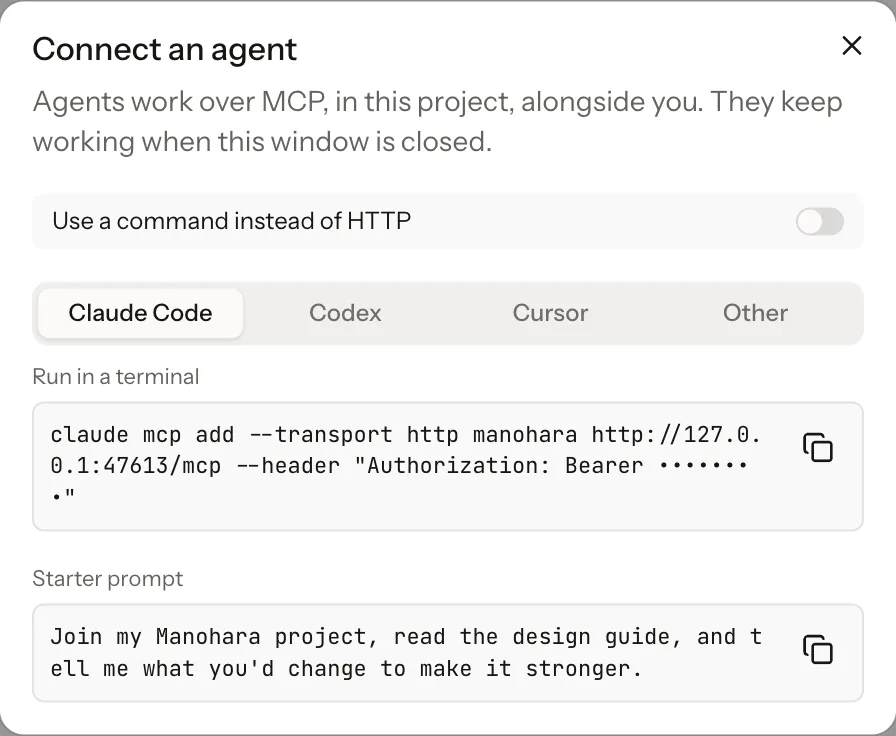
01 Connect
Bring the agent you already use.
Claude, Cursor, Codex or anything that speaks MCP. Paste one line and your agent gets the same tools you have: scenes, layers, keyframes, brand kits and export.
Your agent, your subscription: we do not resell tokens
Agents keep working when the window is closed
02 Design
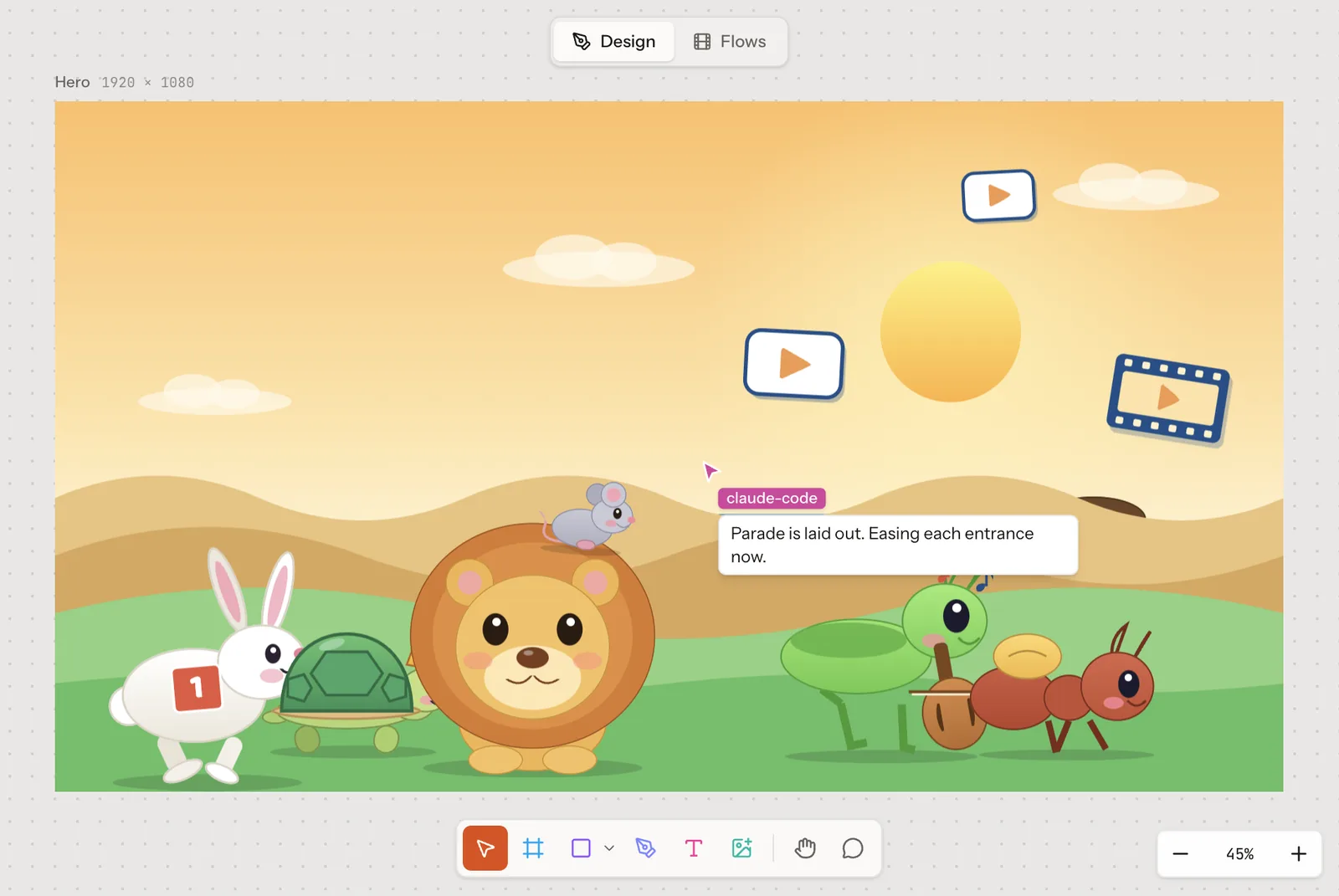
Watch it design, live.
Every change lands on your canvas as it happens, with the agent's cursor and a note on what it is doing. Step in whenever you like: nothing is locked, nothing is a black box.
03 Animate
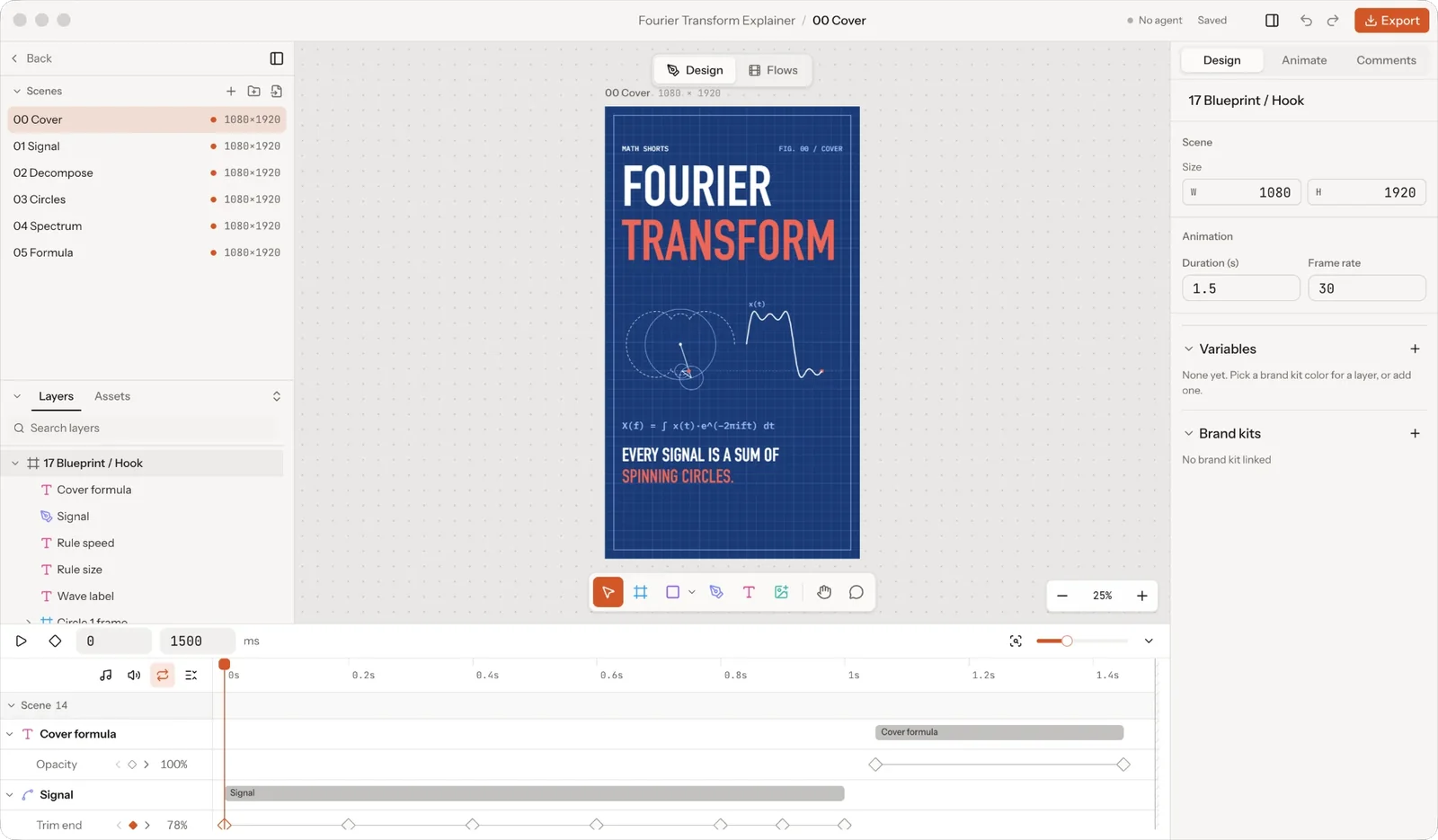
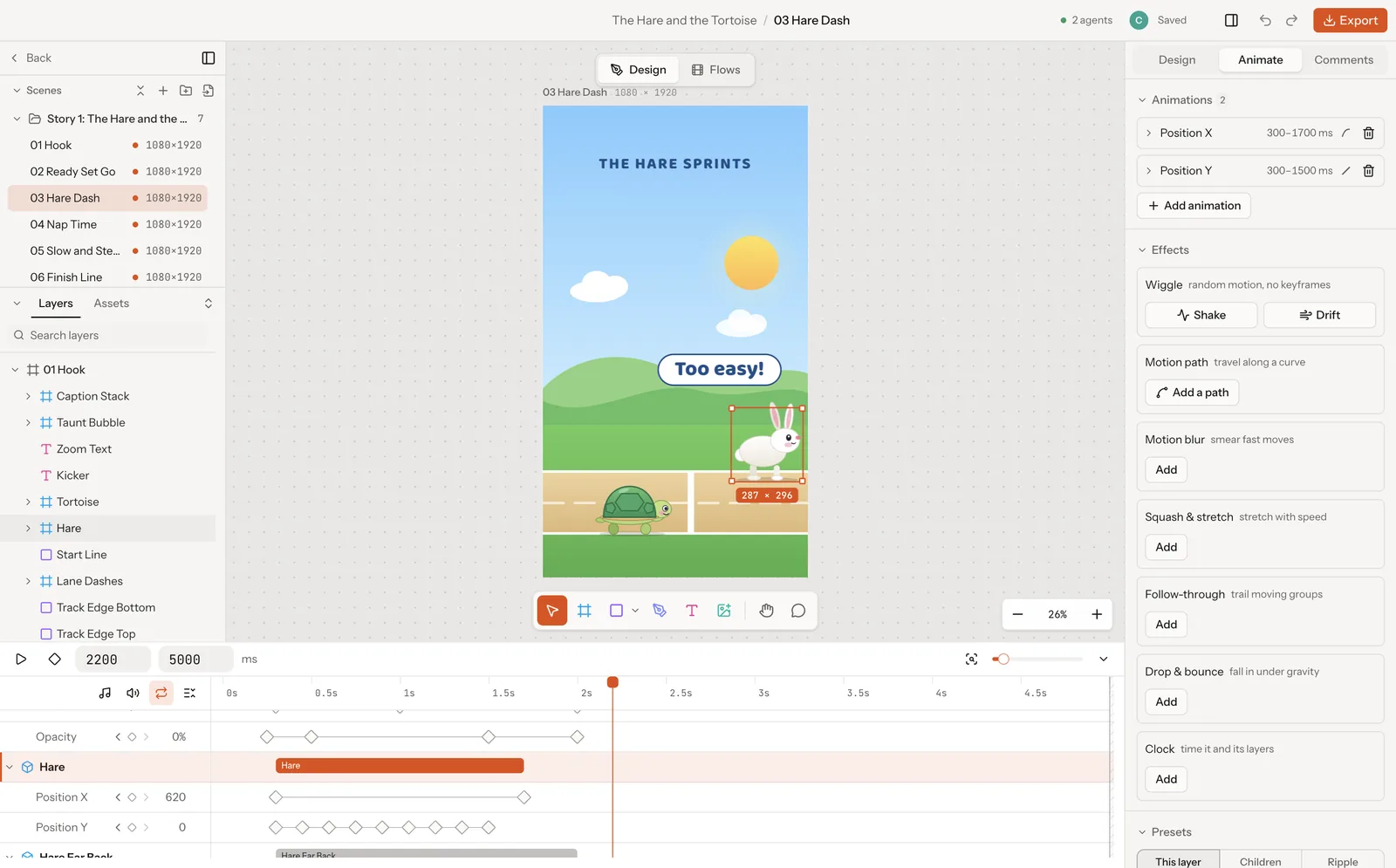
Every layer on a timeline.
Real keyframes you can see and tune by hand, or hand back to your agent. Position, scale, rotation, opacity, paths and camera, plus effects like wiggle, motion paths and follow-through.
04 Review
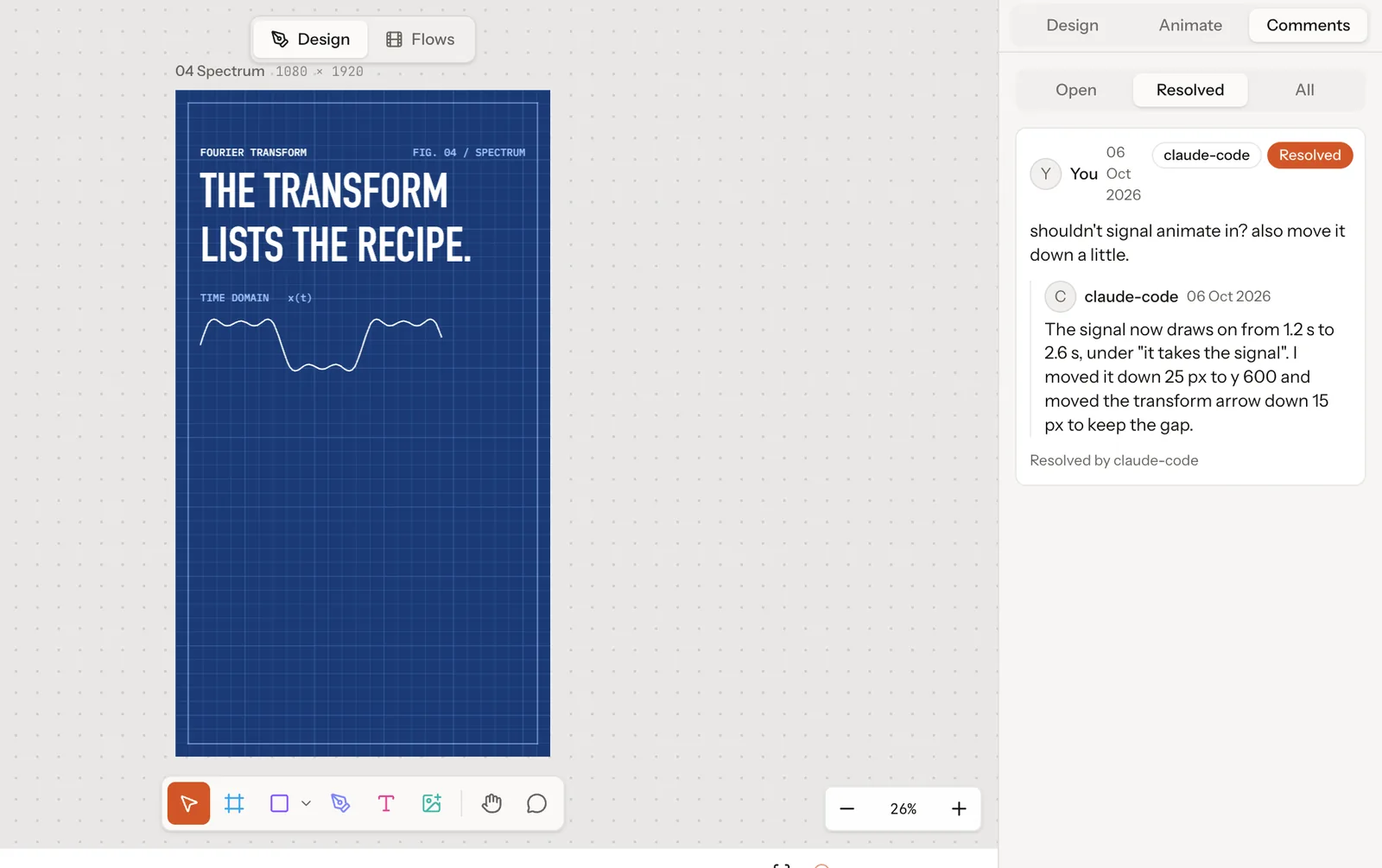
Comment on the canvas.
Pin a note to the layer that is wrong. Your agent reads the thread, makes the change, replies with what it did and resolves it.
05 Reuse
Start the next one from the last one.
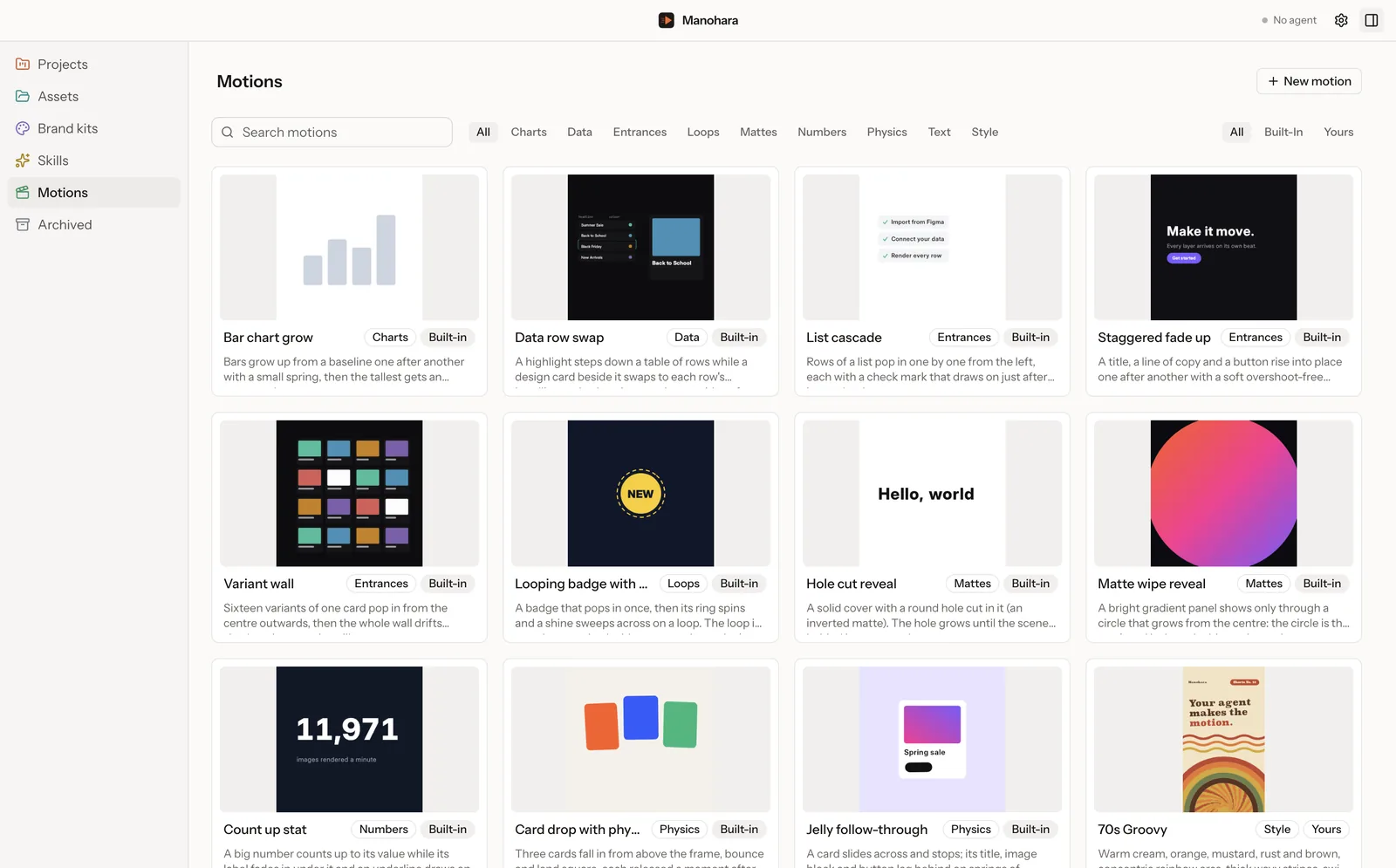
Keep the motions that worked: entrances, loops, charts, mattes and whole visual styles. Your agent reads the library and reuses them, so the timing and the feel carry over.
06 Brand
Your brand, as real tokens.
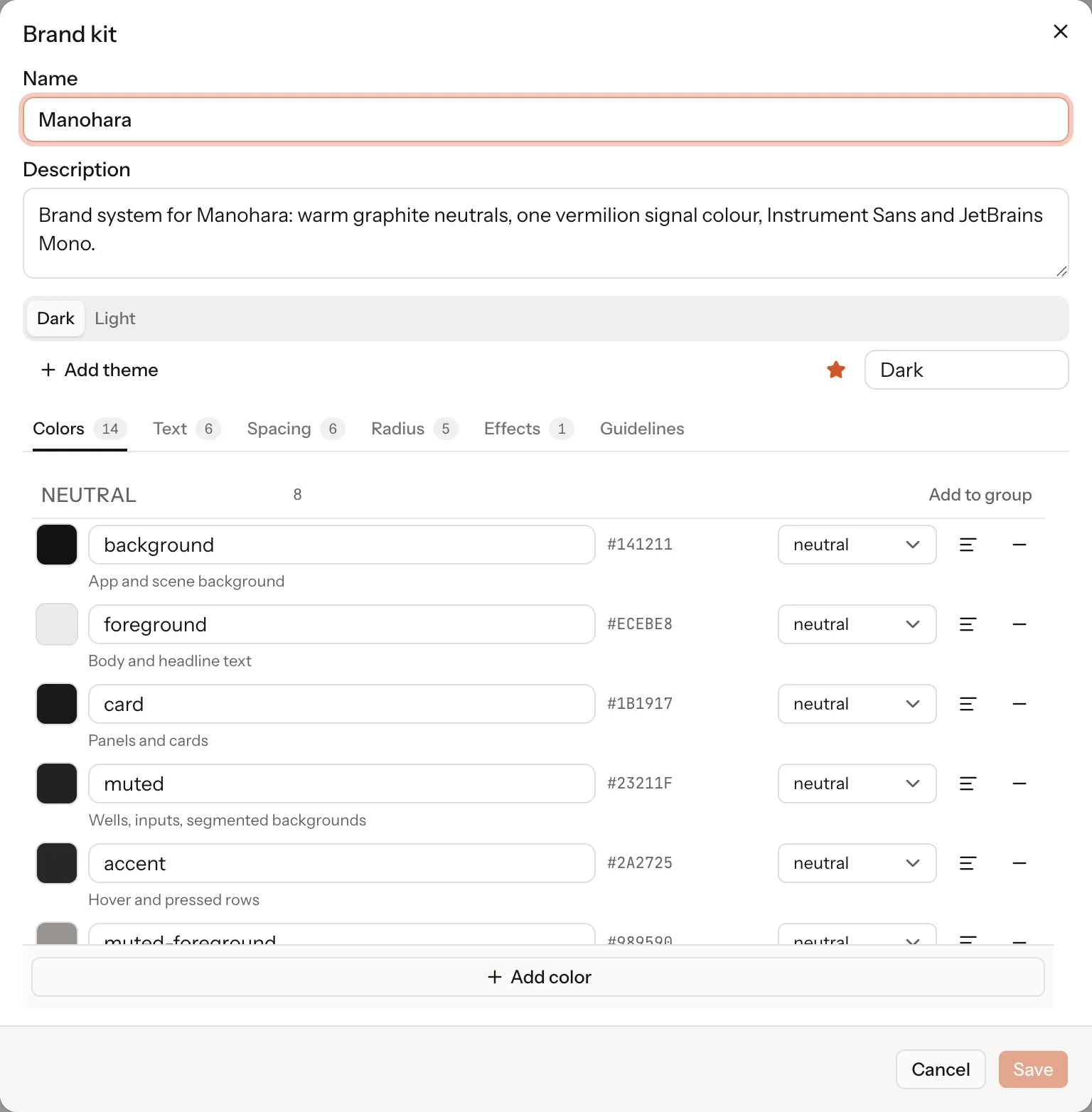
Export a frame from Figma and it comes in as editable layers, not a flat picture. Colours, type styles, spacing, radii and effects live in a brand kit with light and dark themes.
Layers point at tokens, so one change restyles every scene
Your agent reads the same kit, so its first pass is on brand
07 Export
Rendered on your computer.
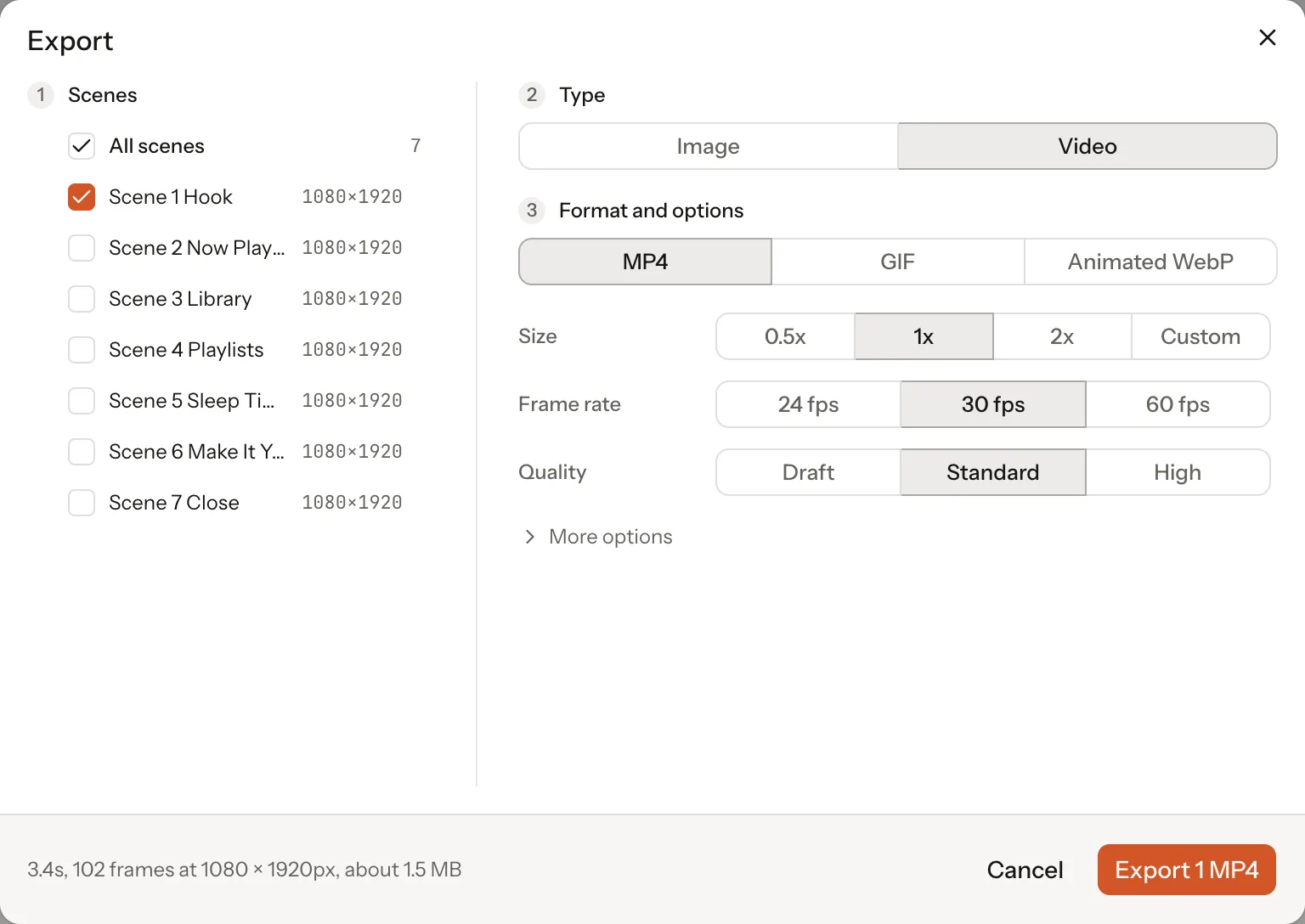
Tick the scenes you want and each comes out as its own file. No queue, no upload and no charge per render.
Video as MP4, GIF or animated WebP
Stills as PNG, JPG or WebP, at 1x to 3x
Sprite sheets for apps and games
FAQs
Before you sign up.
What people ask us most. Anything else, reply to the email you get after joining.
When can I use it?
Early access is rolling out now, in small batches, oldest signups first. Join the waitlist and we will send you the build and a licence when your batch opens.
Which platforms does it run on?
Mac and Windows: Apple silicon and Intel Macs, and 64-bit Windows. Everything renders locally on your computer. There is no Linux build yet.
Which agent does it work with?
Claude, Cursor, Codex, or anything else that speaks MCP. The app exposes its tools over MCP, so your agent can open a project, design scenes, set keyframes, read your design system and export. You bring your own agent and your own subscription; we do not resell tokens.
Do I need design skills?
No. Describe the video and your agent lays out the scenes in your brand. Knowing design helps you push it further, because everything it makes is a normal layer you can nudge, but you can ship a video without touching the canvas.
Does my data leave my computer?
Your projects, assets and renders stay in a library on your computer, and export runs locally, so nothing is uploaded and there is no render queue to wait in. The one thing that leaves is what you send your own agent, which goes wherever that agent already runs. We do not sit in the middle of it.
Can I edit what the agent makes?
Yes, all of it. Every scene, layer, keyframe and camera move is a real object on the canvas and the timeline. Nothing is baked or locked.
How do comments work?
Pin a comment to a layer or a point on the canvas. Your agent reads the thread, makes the change and resolves it, and you see the edit happen live.
Can I bring my brand in?
Export a frame from Figma and it comes in as editable layers, not a picture. Add your fonts and logos, and your colours, type styles, spacing, radii and shadows become a design system with light and dark themes that every project can draw from.
What can I export?
Video as MP4, GIF or animated WebP. Stills as PNG, JPG or WebP at 1x, 2x or 3x, from the playhead, the last frame or a time you pick. Sprite sheets too. Tick the scenes you want and each one comes out as its own file.
What does it cost?
Early access is a one-time licence, yours for good. Pricing moves to annual after launch, and everyone who joins from the waitlist keeps the one-time price.
Waitlist
Be there for the first build.
Early access is rolling out now, in small batches, oldest signups first. It is a one-time licence, yours for good, and everyone who joins from the waitlist keeps that price when annual pricing starts.